

Appearance
Custom domains
A custom domain lets a portfolio use a domain you control instead of its Folio address.
Example: galleries.yourstudio.com.
Setup
- Open Settings › Portfolio › Domains
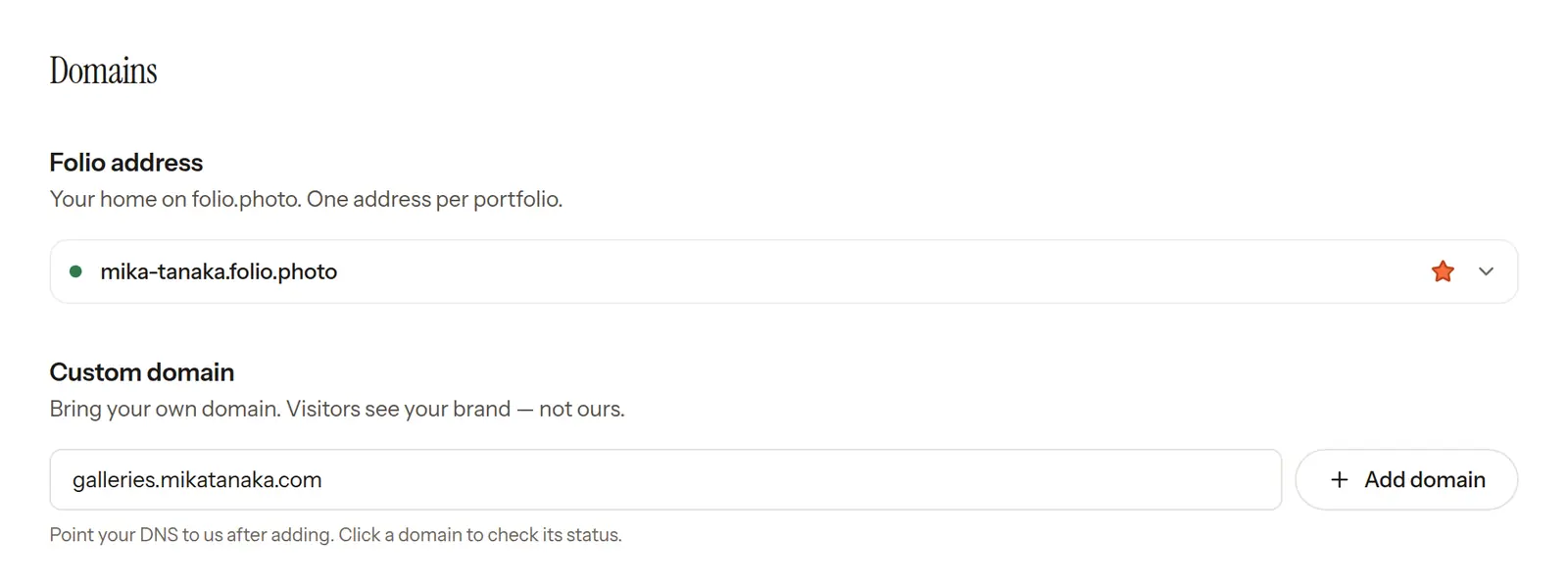
- Under Custom domain, enter your domain and click Add domain
- Add the DNS record shown in Folio at your DNS provider
- Click the domain in the list to verify it
- Wait for verification
After verification, the portfolio homepage and gallery links can use the custom domain.
DNS record
Folio shows the DNS record to add. Use the value shown there when updating the DNS settings at your provider. Each workspace has its own value, so copy it from Folio rather than from another site.
Visitor opens
galleries.yourstudio.comYour DNS providerCNAMEValue shown in Folio
FolioServes your portfolio
A root domain such as yourstudio.com uses an A record instead of a CNAME
A subdomain such as galleries.yourstudio.com uses a CNAME record. A root domain like yourstudio.com uses an A record, and Folio also connects www.yourstudio.com. Add the records shown for both. The root domain is verified once the www record is in place.
Domain changes can take time to update depending on the provider.
Notes
- A custom domain applies to a portfolio
- Use a subdomain that is not already used by another website
- DNS records must match the values shown in Folio
Troubleshooting
"DNS verification pending. Please configure your DNS records."
The DNS record has not been found yet. Check that it has been added, then allow time for the change to reach everyone.
"DNS is misconfigured. Please check your settings."
Check that the DNS record matches the value shown in Settings › Portfolio › Domains.
"Add a CNAME record pointing www… to confirm this domain is yours"
The record for your root domain is set up, but the one for its www address isn't yet. Add the CNAME record shown for the www address.
"Update needed"
Your domain works, but its DNS record still uses the value Folio gave out before each workspace had its own. At your DNS provider, replace the old value with the new one shown in Folio, then click the domain and choose Check status.
The domain still shows another website
Remove conflicting DNS records or use a different subdomain.