

Appearance
Create a portfolio
A portfolio is the public home for your work. It contains galleries and has its own public address, such as yourname.folio.photo.
First setup
When you sign up, Folio prompts you to create a portfolio. The setup form includes:
| Field | Description |
|---|---|
| Portfolio name | The portfolio or business name shown to visitors |
| Description | A short summary of the portfolio |
| Folio address | The public folio.photo address for the portfolio |
These details can be edited later.
To create another portfolio later, open the portfolio menu in the sidebar and click New portfolio.
Editing portfolio details
You can edit the portfolio name and description from the dashboard. Click the displayed title or description to begin editing.
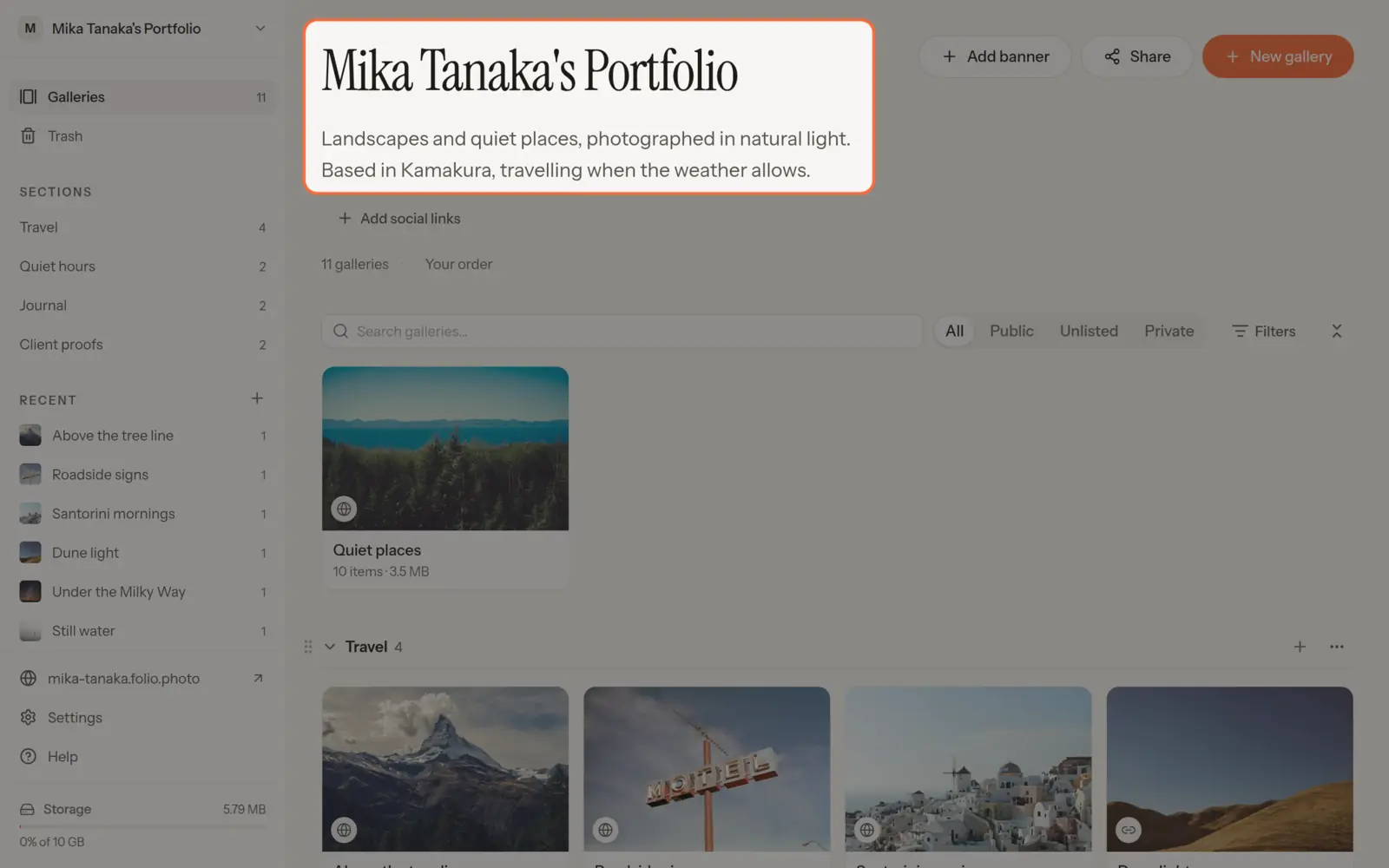
The Folio address is edited in Settings › Portfolio › Domains. When you change it, links to the old address stop working. The old address stays reserved for you for 90 days, so nobody else can take it and you can switch back. Links to your other public profiles are managed in Settings › Portfolio › Branding. See Portfolio settings.
Links appear with the portfolio and help visitors find your other public profiles. Add only the links you want visitors to see.
Galleries in a portfolio
Galleries are created inside a portfolio. Public galleries are listed on the portfolio homepage. Private and unlisted galleries are not listed there.
You can arrange galleries into sections and put them in your own order. See Organize your portfolio.
Link previews
When you share your portfolio address in a chat app or on social media, the app shows a preview of it.
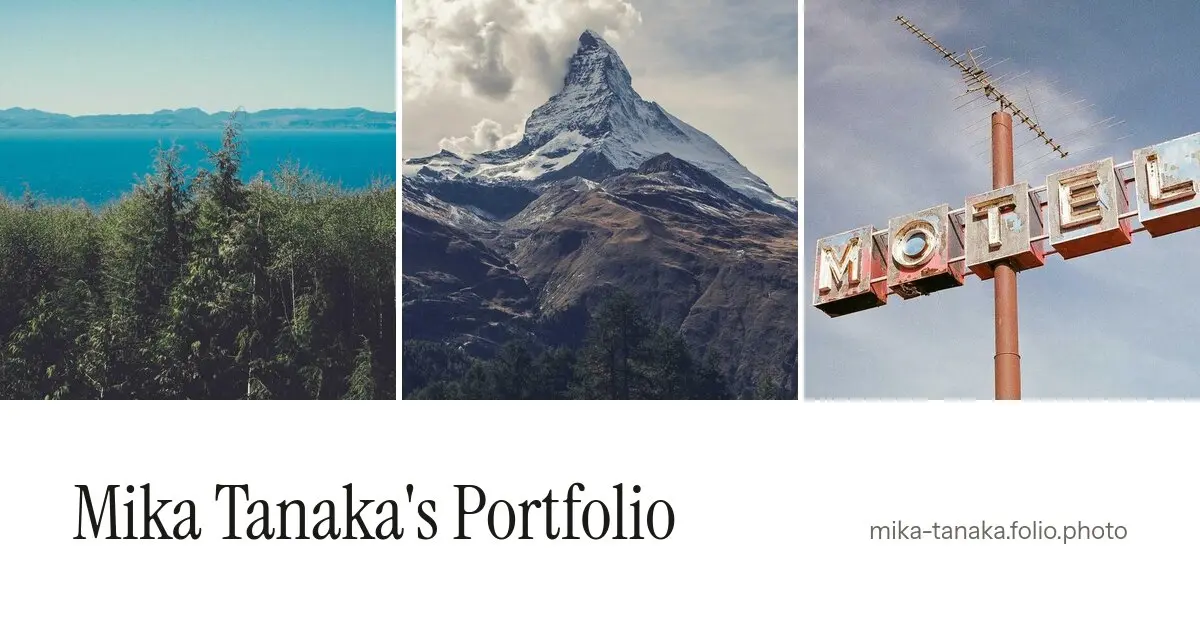
The preview image:
- Shows the covers of the first three public galleries, in your portfolio order, above the portfolio name and address.
- If the portfolio has a banner, the banner takes the place of the gallery covers.
- With no banner and no public galleries, it shows the portfolio name and address on their own.
The preview follows the portfolio theme. Password-protected galleries are never used. When you rename the portfolio, change its theme or galleries, or make a gallery private, the preview is redrawn within a few minutes. The previous preview is shown until then, and apps that already showed it may keep it for a while.
See Create a gallery for the next step.